Restaurant Cleaning Systems

Restaurant Cleaning Checklist App: What to Track Each Shift

A restaurant cleaning checklist is only useful when the team actually follows it during service, prep, closing, and manager review.

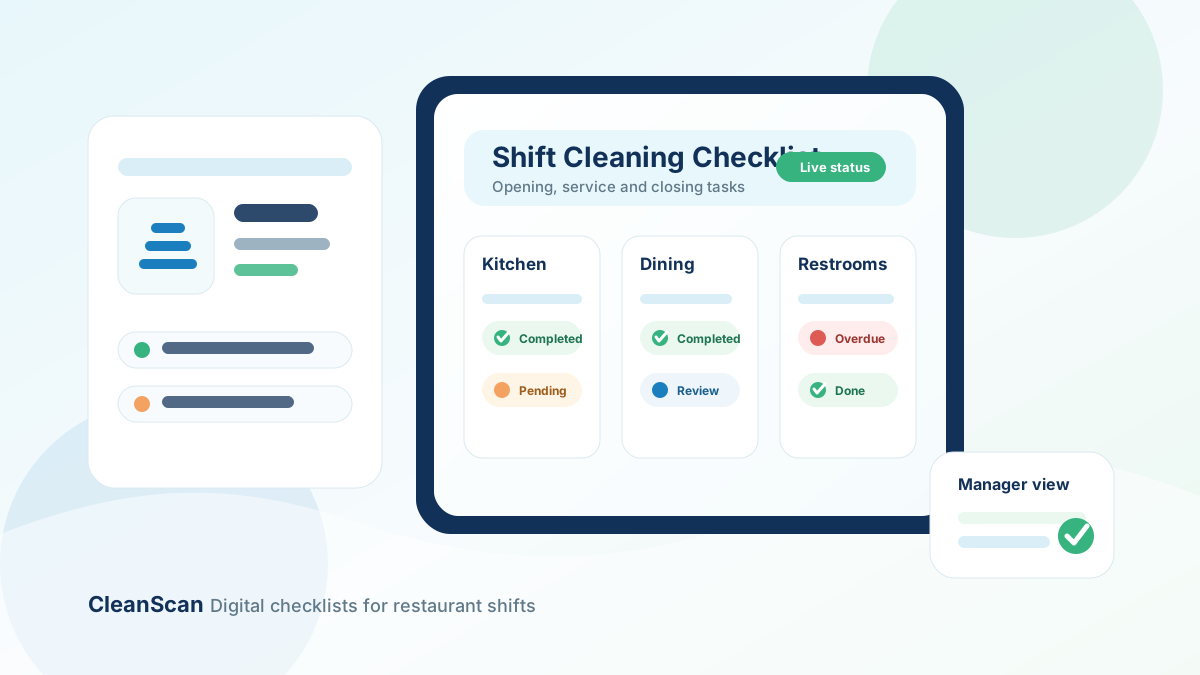
Digital restaurant cleaning checklist app organized by shift, area, and completion status

Paper checklists can help define what should be cleaned. The problem is execution. During a busy shift, tasks get skipped, logs are filled out late, and managers often have to check clipboards manually to know what happened.

A restaurant cleaning checklist app helps turn a static checklist into a repeatable workflow. Instead of relying on paper sheets, managers can assign cleaning tasks by area, role, and shift, then track completion in one place.

This guide explains what a restaurant cleaning checklist app should include, when to move beyond paper, and how to structure your first digital checklist.

What is a restaurant cleaning checklist app?

A restaurant cleaning checklist app is a digital tool that helps managers create, assign, schedule, and track cleaning tasks across the restaurant.

Instead of printing a checklist and asking staff to sign it, the app turns each task into a trackable action. A manager can define what needs to be cleaned, who is responsible, when it should happen, and whether the task was completed on time.

A good checklist app should help control daily cleaning routines in areas such as:

  • Kitchen stations
  • Prep areas
  • Dining room
  • Bar or service counter
  • Guest restrooms
  • Storage areas
  • Waste areas
  • Opening and closing shifts

For restaurants still building their process, it can make sense to start with a restaurant cleaning checklist template and then digitize the routine once the structure is clear.

Why paper cleaning checklists break during service

Paper cleaning logs are simple to start, but they are hard to control when the restaurant gets busy.

The most common problems are:

  • Staff complete tasks but forget to record them, which creates uncertainty for managers.
  • Staff sign the sheet later, after the task should have been done, which makes the record less reliable.
  • Tasks are written too broadly, such as clean kitchen or check restroom. Staff may interpret the task differently.
  • Managers do not see missed tasks until the end of the shift.
  • Paper sheets get lost, damaged, or stored in folders that are difficult to review.

The result is a routine that exists on paper but is difficult to manage in real time.

A digital checklist does not clean the restaurant by itself. It simply makes the cleaning process easier to assign, track, and review.

What a restaurant cleaning checklist app should include

The best restaurant cleaning checklist app is not just a digital version of a clipboard. It should help managers control the workflow behind the checklist.

1. Tasks organized by area

Cleaning work should be grouped by the way the restaurant actually operates.

Useful areas include:

  • Kitchen
  • Prep station
  • Cookline
  • Dish area
  • Dining room
  • Bar
  • Restrooms
  • Storage
  • Waste area
  • Exterior or entrance
  • Manager review

This helps staff find their tasks quickly and helps managers see which areas are falling behind.

2. Clear task names

Avoid vague tasks.

Instead of clean restroom, use: clean toilet, sink, mirror, dispensers, floor, trash, and door handle.

Instead of clean kitchen, use: clean and sanitize prep surfaces, cutting boards, and station touchpoints.

Clear task names reduce confusion and make training easier.

3. Frequencies by shift or service block

Not every cleaning task should happen at the same frequency. Some tasks need to happen every service block. Others are daily, weekly, or monthly.

A useful checklist app should support frequencies such as:

  • Opening shift
  • Before service
  • During service
  • Every service block
  • Closing shift
  • Daily
  • Weekly
  • Monthly
  • Manager review

For example, restroom checks may need to happen during each service block, while storage shelf cleaning may be weekly.

4. Role-based assignment

Cleaning tasks should be assigned to roles, not just written as a general team responsibility.

Examples include FOH staff, BOH staff, bar staff, closing team, shift lead, manager, and assigned restroom staff.

Role-based assignments make it clear who owns each task during each shift.

This is especially useful when multiple people share the same space. If everyone is responsible, no one is truly responsible.

5. Completion tracking

A checklist app should show which tasks are pending, completed, overdue, missed, or waiting for manager review.

This gives managers visibility while there is still time to act, instead of discovering problems after service.

6. Notes and issue reporting

Some cleaning tasks reveal problems that need follow-up.

Examples include broken soap dispensers, drain odors, trash area deep-cleaning needs, low sanitizer supply, restroom spills, and equipment grease buildup.

The app should let staff record notes, incidents, or corrective actions so managers can see more than a checked box.

7. Manager verification

Not every task needs manager review. But critical tasks should have a verification step.

Examples include closing cleaning, restroom checks, kitchen sanitation tasks, waste removal, inspection-sensitive areas, and weekly deep cleaning.

Manager verification gives the team a second layer of accountability.

Example restaurant cleaning checklist structure

Here is a simple structure you can use before moving into a digital app.

Kitchen

  • Clean and sanitize prep surfaces.
  • Wipe cookline handles, equipment fronts, and station touchpoints.
  • Clean sinks and splash zones.
  • Sweep and mop floors.
  • Check food-contact surfaces after prep and closing.
  • Record any equipment or supply issues.

Dining room

  • Wipe tables, chairs, booths, and high-touch surfaces.
  • Check floors for spills and debris.
  • Clean service stations.
  • Reset guest-facing areas before service.
  • Record missed or delayed tasks.

Restrooms

  • Clean toilets, sinks, counters, mirrors, and dispensers.
  • Restock soap, paper towels, and toilet paper.
  • Empty trash.
  • Check odor and floor condition.
  • Record incidents or maintenance needs.

For this area, use a dedicated restroom cleaning log template so the process is easier to control by time block.

Bar or service counter

  • Sanitize counters and shared tools.
  • Wipe POS devices and payment areas.
  • Clean taps, trays, and service equipment.
  • Remove spills and clutter.
  • Verify glassware and garnish areas are clean.

Waste areas

  • Empty trash and recycling.
  • Replace liners.
  • Wipe bin lids and surrounding floors.
  • Check exterior waste areas during closing.
  • Record pest, odor, or overflow issues.

Manager review

  • Review overdue cleaning tasks.
  • Check repeated missed tasks.
  • Confirm supplies are available.
  • Update task ownership when staffing changes.
  • Adjust the checklist based on layout, equipment, or inspection feedback.

When should a restaurant move from paper to an app?

A paper checklist can work for a small team with simple routines. But a restaurant cleaning checklist app becomes more useful when operations become harder to supervise manually.

You should consider moving to a digital checklist when:

  • Managers have to chase staff after every shift.
  • Cleaning logs are filled out late.
  • Restroom checks are missed during rush periods.
  • Closing duties are inconsistent.
  • Cleaning records are hard to find.
  • Tasks change by shift, role, or area.
  • Multiple managers need visibility.
  • You want clearer completion history.

At that point, paper is no longer the problem. The problem is control.

A tool like restaurant cleaning management software helps managers standardize tasks, assign responsibility, and keep a clearer record of what happened across shifts.

How to implement a restaurant cleaning checklist app

Do not digitize a bad checklist. Start by cleaning up the process first.

Step 1: Start with one master checklist

List every recurring cleaning task by area. Group the list into daily tasks, shift tasks, weekly tasks, monthly tasks, and manager review tasks.

Step 2: Remove vague tasks

Rewrite unclear instructions into specific actions. A staff member should know exactly what complete means.

Step 3: Assign every task to a role

Avoid unowned tasks. Every checklist item should have a responsible role.

Step 4: Set realistic frequencies

Do not schedule every task every hour. Use service volume, risk, and staff capacity to define the right frequency.

Step 5: Review missed tasks weekly

A missed task may be a staffing issue, a training issue, a timing issue, or a checklist issue.

The goal is not just to record misses. The goal is to improve the system.

Related templates and guides

Use CleanScan to run restaurant cleaning checklists digitally

CleanScan helps restaurant managers replace paper cleaning sheets with digital checklists, recurring tasks, role-based assignment, and completion records.

You can start with a template, adapt it to your restaurant, and then run the checklist across opening, service, closing, restroom, kitchen, and manager review workflows.

Ready to replace paper cleaning sheets with a clearer process?

Request a CleanScan demo

Frequently asked questions

What is a restaurant cleaning checklist app?

A restaurant cleaning checklist app is a digital tool used to create, assign, schedule, and track cleaning tasks across restaurant areas and shifts.

What should be included in a restaurant cleaning checklist app?

It should include areas, tasks, frequencies, responsible roles, completion tracking, issue notes, corrective actions, and manager verification.

Is a digital checklist better than a paper cleaning log?

A paper checklist can work for simple routines. A digital checklist is better when managers need visibility, recurring schedules, role-based assignments, and easier completion records.

Can I start with a restaurant cleaning checklist template?

Yes. Start with a printable checklist to define the routine, then move it into a digital workflow when you need more control.

Does a cleaning checklist app replace staff training?

No. A checklist app supports execution and accountability, but staff still need training on cleaning standards, food safety procedures, and internal restaurant policies.