
Restaurant Cleaning Systems
Restroom Cleaning Log Template vs App: Which Should Restaurants Use?
Restroom checks are one of the easiest cleaning routines to define and one of the hardest to control during service.
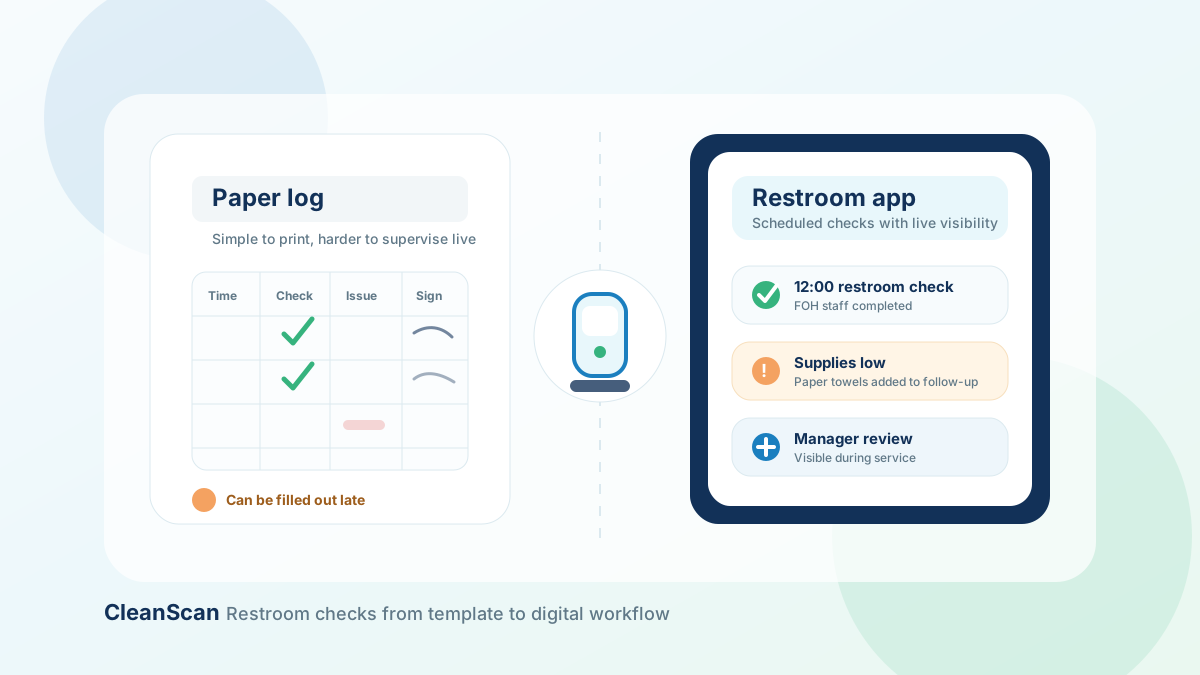
A restroom cleaning log template gives staff a simple place to record checks. A restroom cleaning app helps managers schedule, assign, track, and review those checks digitally.
Both can be useful. The right option depends on the size of the restaurant, the number of restrooms, the volume of guests, and how much visibility managers need during each shift.
This guide compares restroom cleaning log templates and apps so you can choose the right setup for your restaurant.
What is a restroom cleaning log template?
A restroom cleaning log template is a reusable form used to record restroom checks.
Most templates include fields such as:
- Date
- Time
- Restroom area
- Tasks checked
- Supplies needed
- Issue found
- Corrective action
- Completed by
- Signature
- Manager verification
A printable restroom cleaning log template works well when a restaurant needs a quick, simple way to document restroom checks.
It is easy to print, easy to explain, and easy to place near the restroom, service station, or manager area.
What is a restroom cleaning app?
A restroom cleaning app turns the restroom log into a digital workflow.
Instead of asking staff to complete a paper sheet, the app schedules restroom checks by shift or time block. Staff complete the task from a device, record issues, and managers can review what is pending or completed.
A restroom cleaning app can help with:
- Scheduled checks by service block
- Task assignment by role or shift
- Completion tracking
- Issue notes
- Supply alerts
- Corrective action records
- Manager visibility
- Completion history
This is useful when paper logs are missed, backfilled, or hard for managers to verify.
Template vs app: the simple difference
A template helps you define the routine. An app helps you run the routine.
That is the main difference.
A paper template tells staff what to check. A digital app helps managers know whether the check happened on time, who completed it, and whether anything needs follow-up.
For some restaurants, a paper template is enough. For others, especially busy restaurants, it becomes too easy for paper logs to fall behind during rush periods.
When a restroom cleaning log template is enough
A printable restroom cleaning log can work well when the operation is simple.
Use a template when:
- You have one restroom area.
- Guest traffic is predictable.
- Managers are usually on site.
- Restroom checks are not frequently missed.
- Staff already follow the routine consistently.
- You need a low-friction starting point.
- You are still defining the checklist.
A template is also useful when you want to test the routine before digitizing it.
Start by printing the log and using it for one or two weeks. Review where staff miss fields, where the checklist is unclear, and which time blocks create the most problems.
Then improve the process before moving it into an app.
When a restroom cleaning app is better
A restroom cleaning app is better when managers need more control.
Use an app when:
- Restroom checks are missed during busy periods.
- Staff fill out logs late.
- Managers cannot verify checks without walking to the restroom area.
- Multiple shifts share responsibility.
- Supply issues are not reported clearly.
- Incidents need follow-up.
- You want a record of completion history.
- You operate more than one restaurant location.
- You need better accountability by role or shift.
This is where restroom quality control software becomes more useful than a clipboard.
The issue is not just documentation. The issue is whether managers can see and correct problems while service is still happening.
What restaurants should track in restroom checks
Whether you use paper or an app, the restroom cleaning workflow should be specific.
A weak log says: bathroom checked.
A useful log records exactly what was checked and whether anything needs follow-up.
Cleanliness
Track visible cleanliness across toilets, sinks, counters, mirrors, dispensers, doors, and floors.
Supplies
Record whether soap, toilet paper, paper towels, liners, and other required supplies are available.
Trash
Track whether bins were emptied, liners were replaced, and overflow was resolved.
Floor condition
Check for spills, wet areas, debris, odors, or anything that may require immediate attention.
Odor
Odor is often one of the first signs that a restroom needs additional cleaning or maintenance review.
Incidents
Record problems such as broken dispensers, clogged toilets, leaks, spills, or customer complaints.
Corrective action
A log should not only say that an issue exists. It should show what was done next.
Examples include:
- Refilled soap
- Replaced paper towels
- Cleaned floor spill
- Reported broken dispenser
- Escalated plumbing issue to manager
- Added item to supply order
Manager verification
For busy restaurants, manager verification helps confirm that checks are not just recorded but reviewed.
Restroom cleaning log template vs app comparison
A template is best when the routine is simple and managers can review it manually.
An app is best when checks need to be scheduled, assigned, tracked, and reviewed during service.
Use this comparison:
Speed to start
A paper template is faster. You can print it and use it immediately.
Consistency
An app is stronger because checks can be scheduled by time block or shift.
Accountability
An app is stronger because tasks can be assigned to a role or staff member.
Manager visibility
An app is stronger because managers can see pending or missed checks without reviewing a physical clipboard.
Incident follow-up
An app is stronger because notes and corrective actions can stay attached to the restroom check record.
Cost and simplicity
A paper template is simpler for very small operations.
Long-term control
An app is better when the restaurant needs recurring workflows, completion history, and stronger shift accountability.
How to move from a restroom log template to an app
Do not move to a digital system without first defining the workflow.
Step 1: Start with the template
Begin with a simple restroom log that includes time, restroom area, tasks checked, supplies needed, issue found, corrective action, and manager verification.
Step 2: Define service blocks
Do not use vague timing such as check regularly. Use clear blocks.
Examples include:
- Before opening
- Before lunch service
- During lunch service
- After lunch rush
- Before dinner service
- During dinner service
- Closing shift
Step 3: Assign responsibility by role
Decide who owns restroom checks during each service block.
Examples include FOH staff, host, shift lead, closing team, and manager.
Step 4: Add issue categories
Make it easy for staff to report recurring problems.
Useful issue categories include:
- Supplies low
- Trash full
- Floor issue
- Odor issue
- Broken fixture
- Customer complaint
- Maintenance needed
Step 5: Review the pattern
After one or two weeks, review where the workflow breaks. Are checks missed during rush periods? Are supply issues common? Are staff recording corrective actions clearly?
This tells you whether a template is enough or whether your team needs a digital workflow.
Why digital restroom checks help managers
Paper restroom logs are useful, but they put the burden on the manager to review the record manually.
A digital workflow helps managers see:
- Which checks are complete
- Which checks are still pending
- Which checks are overdue
- Which restroom areas have repeated issues
- Which shifts need better follow-up
- Which supplies run low most often
For restaurants that already use a broader restaurant cleaning management software, restroom checks should not sit in a separate paper process. They should connect to the same cleaning routine as kitchen, dining room, closing, and manager review tasks.
Related templates
If you are still defining the broader cleaning routine, pair the restroom log with a restaurant cleaning checklist template so every area has clear ownership.
Use CleanScan for digital restroom cleaning logs
CleanScan helps restaurants replace paper restroom logs with assigned checks, recurring schedules, issue notes, corrective actions, and manager visibility.
You can start with a paper template, define your process, and then move the workflow into CleanScan when your team needs more control.
Start with the restroom cleaning log template or request a CleanScan demo to see how digital restroom checks work during real restaurant shifts.
Frequently asked questions
What is a restroom cleaning log template?
A restroom cleaning log template is a form used to record restroom checks by date, time, area, tasks completed, supplies needed, issues found, corrective actions, and verification.
Is a restroom cleaning app better than a paper log?
A restroom cleaning app is better when managers need scheduled checks, role-based assignments, live completion status, issue tracking, and digital history. A paper log can work for simple routines.
How often should restaurant restrooms be checked?
The frequency depends on guest traffic, service hours, staffing, and local requirements. Busy restaurants usually need checks during each service block, while slower periods may need a lighter schedule.
What should be included in a restaurant restroom cleaning log?
Include time, restroom area, cleanliness tasks, supply checks, trash checks, floor condition, odor, issue notes, corrective action, completed-by field, and manager verification.
Can I use a template first and move to an app later?
Yes. A template is a good starting point. Once the routine is clear, a digital app can help schedule checks, assign responsibility, and keep better records.